36 posts tagged with "cursor"

View All Tags

Homol High — Week of Sept 21 Day Packs

· One min read
Mike Homol
Principal Consultant @ ThreeWill

After the where-we-are-now status post, Homol High kept moving the way a delivery repo should: ship the next week’s day packs to the hub, then tighten the Reading path so AIOHS next-layer steps are one click away.

What happened​

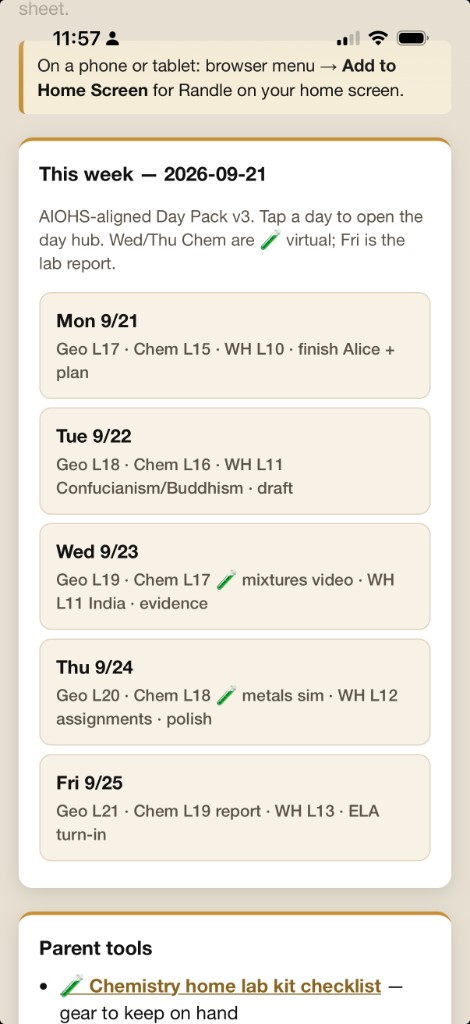
  • Shipped week-of-9/21 day packs so the print hub can serve transformations, Matter labs, and Carroll writing
  • Put AIOHS next-layer steps on Reading with direct links (less hunting, more doing)
  • Continued the git-backed co-teacher loop: packs land on main, hub deploys, paper hits the table Monday morning

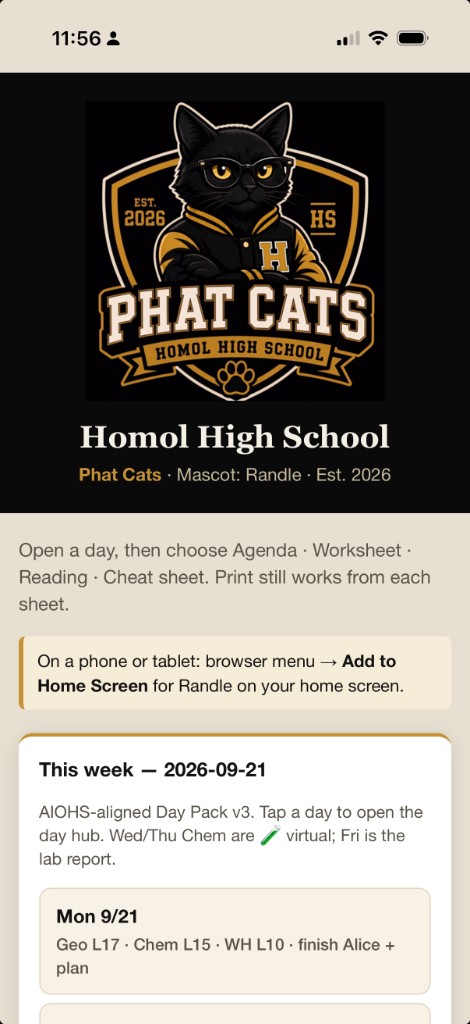
Phat Cats school hub — week of 9/21 on the home screen

This week — 2026-09-21 day list with Geo, Chem, WH, and ELA

Memento Mori — Post-Tutorial Boot and SF Symbols Chrome

· One min read
Mike Homol
Principal Consultant @ ThreeWill

App Store prep earlier this summer got Memento Mori submission-ready. This week’s pass was smaller and more tactile: harden what happens right after the tutorial, and put native iOS chrome back where custom icons had drifted. Hoping this build clears review so we can finally say it’s live.

What happened​

  • Hardened post-tutorial boot so first-run handoff into the main app is less fragile
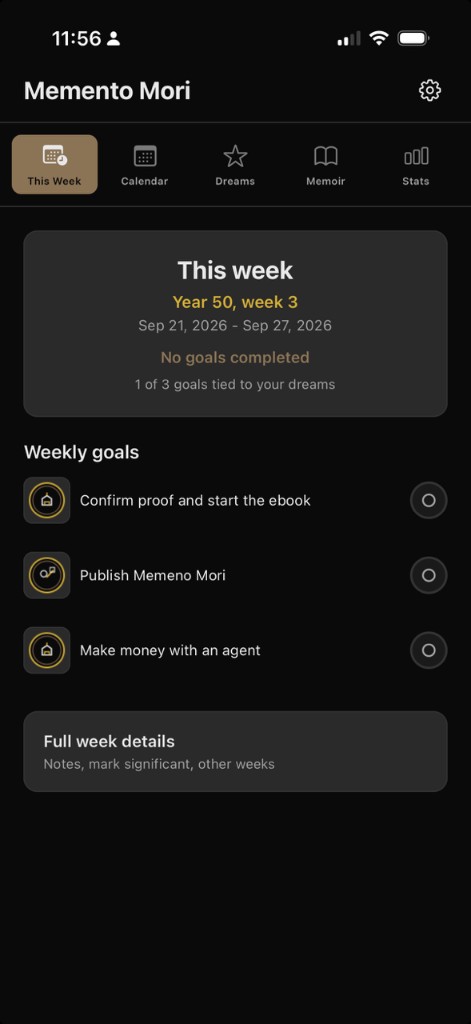
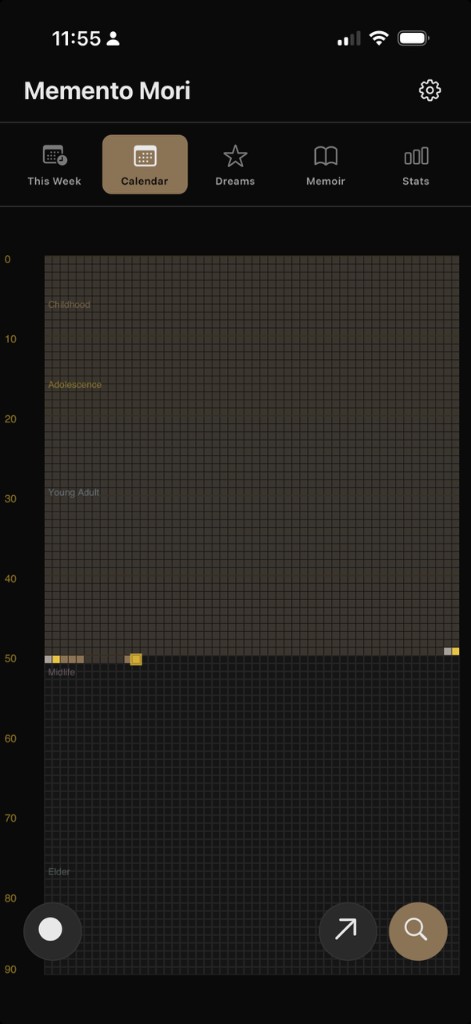
  • Restored iOS chrome via SF Symbols for a more native tab/nav feel — tabs use calendar.badge.clock, calendar, star, book, and chart.bar; settings/FABs use gearshape, magnifyingglass, arrow.up.right, and friends
  • Kept the change scoped — no feature sprawl, just reliability and platform fit after the tutorial path

This Week — SF Symbol tab chrome after the tutorial handoff

Life calendar — SF Symbol chrome on the Calendar tab

Weekly AI Builds - September 21, 2026

· 2 min read
Mike Homol
Principal Consultant @ ThreeWill

A shipping week across personal apps and home study: Homol High got the week-of-9/21 day packs, and Memento Mori restored proper iOS chrome after the tutorial.

Highlights​

  • Shipped Homol High week-of-9/21 day packs (transformations, Matter labs, Carroll writing) and put AIOHS next-layer steps on Reading with direct links.
  • Hardened Memento Mori post-tutorial boot and restored iOS chrome via SF Symbols — hoping this build clears so we can finally announce it’s live.
  • Polished Backseat Games toward TestFlight 1.2.1 (Sign Game feedback, Dynamic Type, Node 22 / EAS CI) — deep-dive skipped this week.
  • Kept Homol Works weekly curation reliable under Task Scheduler — no Monday git-fetch hangs, stronger runner hardening.
  • On a client SPA engagement: authZ policies and correlation IDs, notes management, document panels, facility catalog/paging, and RFC 7807 error handling landed across several merged PRs (details stay internal).

Learn More​

Homol High — Where We Are Now (Phat Cats, Day Packs, and a Print Hub)

· 7 min read
Mike Homol
Principal Consultant @ ThreeWill

Two weeks ago Homol High was a Phase 1 repo and a nervous pilot day. Today it is a running home-study school for Grace: a curriculum spine, a four-sheet Day Pack, a black-and-gold Phat Cats brand, and a family print hub that deploys when we push. Same consulting muscle — version control, conventions, co-teacher ops — pointed at sophomore year.

The remote stays private between me and my wife Kasey. Professor Cursor is still the curriculum coach. Parents run short kickoff, check-in, and wrap — not all-day sit-beside tutoring.

If you want the origin story, start with Homol High Phase 1. This post is the “what matured after the first real weeks” follow-up we promised after that pilot.

The arc in one diagram​

What Phase 1 got right (and what broke on day one)​

Phase 1 shipped the bones that still matter:

  • Courses for 2026–27: Geometry, World History, AP ELA, Chemistry, plus a light PE/Arts elective log
  • Georgia home-study guardrails next to the ops playbook (Declaration of Intent, 180 days × ~4.5 hours, required cores)
  • A Professor Cursor teaching rule: literal language, checklistable outcomes, Must-do vs Stretch, Stuck Protocol, phone-away defaults
  • Co-teacher rhythm: ≤15 min kickoff, independent blocks, ≤10 min midday check-in, ≤10 min wrap
  • Attendance and learning-log hooks so the year is auditable, not vibes-based

The pilot day told on us immediately. Single-sheet “lesson pages” were too dense. Parents needed answer keys that Grace should never see. Reading directions fought with problem space on the same page. Volume and sequencing needed a real weekly generation checklist — not hope.

So we iterated the product the way you iterate a delivery repo: convention first, then tooling, then brand.

Day Packs: v1 → v2 → v3​

Day Pack v2 — split the audience​

From 2026-09-01 we stopped stuffing everything into one sheet. Each school day became three markdown sources and three printables:

SheetAudienceJob
AgendaGraceOutcomes, block map, short videos, Stuck Protocol
WorksheetGraceMust-do / Stretch problems with real work space
Cheat sheetParents onlyTalking points + full answer key

That alone changed the morning. Grace gets a map and a workbook. We get a co-teacher brief we can keep off her stack.

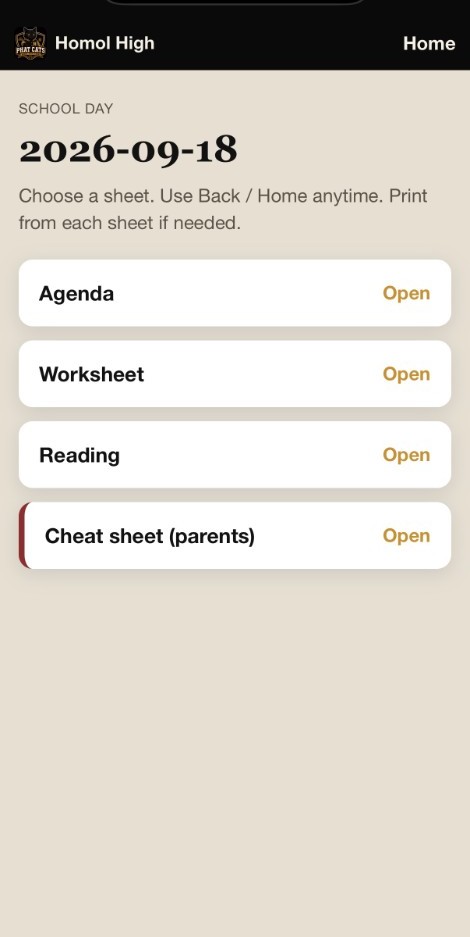
Day hub — Agenda, Worksheet, Reading, and parent-only Cheat sheet

Day Pack v3 — add reading, adopt a spine​

From 2026-09-08 (first AIOHS-aligned day after Labor Day) each day is four files:

lessons/YYYY-MM-DD/
agenda.md
worksheet.md
reading.md ← new
cheat-sheet.md

Reading is Grace’s outbound sheet: numbered steps, links to curriculum pages and texts, novel start/stop lines. We do not paste large third-party curriculum into the repo — we link out. That keeps copyright clean and keeps the Day Pack honest about what “open the book” means.

Easy Peasy All-in-One High School (AIOHS) became the primary spine for Geometry, Chemistry, and World History. Older materials (Lassiter / Apologia) are gap-fill only. ELA stays Homol-authored; the semester novel thread starts with Alice’s Adventures in Wonderland & Through the Looking-Glass, then 1984, then Rebecca. Friday is the writing turn-in day.

The week of 2026-09-01–09-04 counted as credited intro overlap while we cut over. From 9/8 onward, the Day Pack is the contract.

Writing Day Packs in git only helps if the family can print them without ceremony.

We added:

  • print/Export-LessonPrint.ps1 — markdown → browser HTML for letter-size print / Save as PDF
  • Cursor rules so any lesson create/edit/rename/delete runs print sync in the same change
  • An Azure Static Web Apps family hub that auto-deploys when print/ lands on main
  • Per-day mobile hubs (print/days/YYYY-MM-DD.html) so a tablet can open “today” without hunting files
  • A school-day poster for the wall rhythm

The hub is family-facing, not a public Homol Works product page — same privacy rule as the private GitHub remote. No live family URL here; Azure Static Web Apps hosts it, and print/ on main is what deploys.

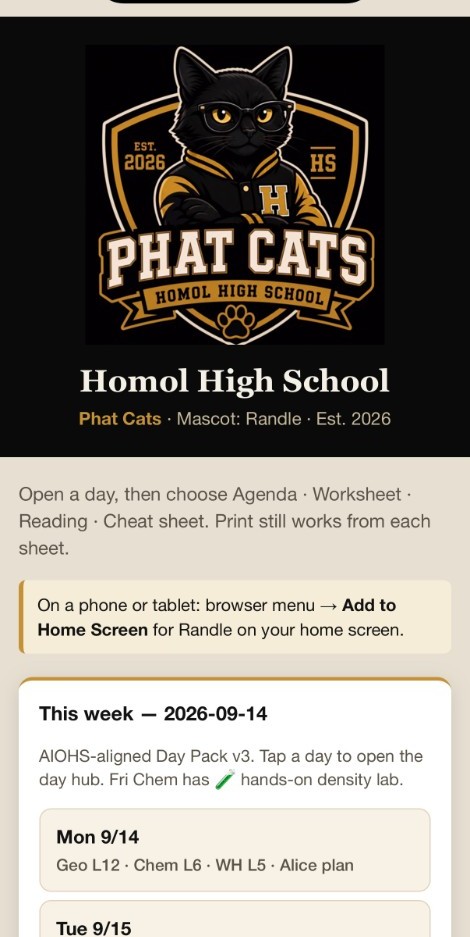
Phat Cats school hub — Randle crest, week of 9/14 day list

Short videos (often via Khan Academy search) show up on the agenda as tap-able links with a ≤5 minute bias. Assigned video = the only phone/laptop exception for that step.

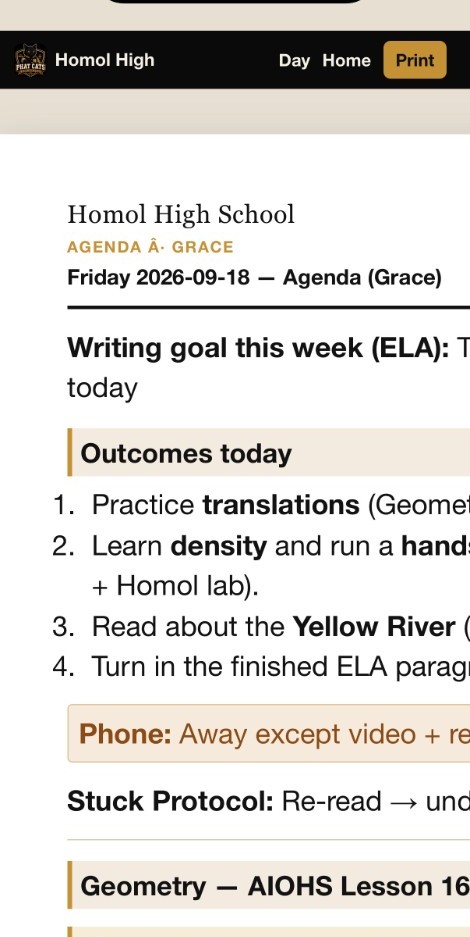
Grace’s Friday agenda — outcomes, Stuck Protocol, AIOHS Geometry + Khan video

Brand: Homol High Phat Cats​

School needs identity almost as much as worksheets. On 2026-09-02 we locked brand:

  • Team: Homol High School Phat Cats
  • Mascot: Randle — black cat, glasses, letterman jacket
  • Colors: black and athletic gold

The crest is the hub logo, favicon, and Add-to-Home-Screen icon. Print chrome moved off the older teal palette onto black/gold so every morning sheet feels like the same school.

What a school day looks like now​

Order stays; times float:

  1. Kickoff ≤15 minutes — outcomes aloud, phone away, Stuck Protocol, one clear Block A action
  2. Core Block A (independent worksheet)
  3. Break / movement
  4. Core Block B
  5. Midday check-in ≤10 minutes — parents use the cheat sheet
  6. Core Block C or lab / lighter block
  7. Wrap ≤10 minutes — mark must-dos, log minutes, note tomorrow

Most days center Geometry + AP ELA. World History and Chemistry share the remaining weight. Chemistry lab days flag Hands-on (kitchen materials, parent present) or Virtual (simulator / video lab) right on the agenda. We also stood up a home lab kit portal so materials stop being a surprise.

Volume targets stay aggressive on purpose — Geometry must-dos in the teens–twenties, other cores sized for ~40–60 focused minutes — with Stretch as the pressure valve when energy or time runs out.

Learning-style ops (without the trait list)​

We keep a learner profile and learning log in-repo. The public rule is the same as Phase 1: we track the supports that fit Grace’s unique learning style; we do not publish the trait inventory. The Day Pack conventions (literal directions, worked examples, Stuck Protocol, read-aloud → paraphrase, Must-do vs Stretch) are the visible expression of that work.

Where the calendar is as of mid-September​

  • Pilot and Day Pack v2 week in the books
  • AIOHS-aligned days running from Tue 2026-09-08
  • Week of 9/14 day packs shipped, fall outline updated, chem lab kit portal live
  • Attendance log aimed at Georgia’s 180-day / ~4.5-hour pattern — logged honestly at wrap

Homol High is no longer a weekend experiment. It is a private delivery system for one sophomore year: curriculum decisions in markdown, paper in the morning, feedback at wrap, next pack on main.

Homol High Phase 1 — git-backed home study with Professor Cursor

· 2 min read
Mike Homol
Principal Consultant @ ThreeWill

Consulting delivery patterns work surprisingly well for home school. This week I stood up Homol High School as a single git repo for Grace’s sophomore year: courses, daily lesson sheets, attendance, Georgia compliance notes, and a Cursor rule that acts as curriculum coach while my wife and I run short kickoff, check-in, and wrap. The remote stays private — shared between us for collaboration, not a public Homol Works link.

What happened​

  • Initialized Homol High Phase 1 with Geometry, World History, AP ELA, Chemistry, and a light PE/Arts elective log for the 2026–27 year
  • Wrote Week 1 daily lesson sheets (lessons/YYYY-MM-DD.md) with outcomes, Must-do vs Stretch, worked examples, Done looks like, Stuck Protocol, and phone-away defaults
  • Added co-teacher ops: daily rhythm, attendance log, week template, learner profile, and learning log — parents nearby, not all-day sit-beside tutors
  • Codified a Professor Cursor teaching rule so lesson text stays literal, checklistable, and independent-work friendly
  • Captured Georgia home-study guardrails (Declaration of Intent, 180 × ~4.5 hours, required cores) under docs/ next to the ops playbook
  • Started tracking the kinds of supports that fit Grace’s unique learning style — without publishing the trait list itself
  • Today was our first pilot school day; we got a ton of feedback and already worked through much of it. A follow-up post next week will show how the lessons and agenda have matured by the end of Week 1

Weekly AI Builds - August 31, 2026

· One min read
Mike Homol
Principal Consultant @ ThreeWill

Homol High School Phase 1 landed as a git-backed home study program for Grace — courses, Week 1 lessons, and a Professor Cursor coaching rule — with a follow-up post planned after the first week of real school days.

Highlights​

  • Stood up Homol High School Phase 1: courses, Week 1 daily lesson sheets, Georgia home-study ops docs, and a Professor Cursor teaching rule for co-teachers (shared privately between parents, not a public remote).
  • Ran a first pilot day and captured a ton of feedback to tighten lessons and agenda — more on that in a follow-up next week once Week 1 has matured.
  • Closed the prior weekly curation PR: applied Open Questions feedback, shipped Scorecard guided-setup screenshots, and published the living-architecture stub with a sanitized Mermaid excerpt.

Learn More​

Living architecture diagrams as delivery docs

· 2 min read
Mike Homol
Principal Consultant @ ThreeWill

Architecture slides go stale the week after the kickoff. On a state licensing modernization engagement this week, I codified living Azure and solution architecture diagrams under docs/ so the pictures sit next to the IaC and API work that actually change them.

What happened​

  • Added living Azure and solution architecture diagrams under in-repo docs/ (versioned with the delivery monorepo, not a one-off PowerPoint)
  • Status labels on each layer — Exists, Placeholder, Provisioned, Scripted, Planned — so the diagram stays honest as the scaffold grows
  • Teammates continued the same repo spine: Azure SQL IaC hardening, Key Vault and Blob in infrastructure, .NET 8 API scaffold with health checks and CI, and app-folder rename toward an internal web surface (collaborative delivery — not sole Mike authorship)
  • Documented a GitHub Enterprise cutover / brand alignment note for the engagement repo so clone URLs and naming stay honest for the team
  • Pattern worth stealing on other ThreeWill builds: diagrams as first-class docs, updated in the same PRs as infra and API changes

Sanitized solution-layers excerpt​

Client names, product codenames, and org remotes stripped. Same shape as the living docs/ diagram:

API-first and location-driven: one Azure SQL system of record, one shared API, three clients (internal SPA, external portal, offline field app). When a layer moves from Placeholder to Exists, the diagram updates in the same change as the code.

ThreeWill Operational Scorecard — rebrand, guided setup, yearly cadence

· 2 min read
Mike Homol
Principal Consultant @ ThreeWill

Last week the Human Services Scorecard got a full Operational Dashboard shell. This week I leaned into product identity and install experience: a clearer ThreeWill Operational Scorecard brand, a themed guided-setup wizard, and a shipped Yearly period option so annual metrics stop pretending they are months.

What happened​

  • Rebranded the shelf product to ThreeWill Operational Scorecard across web parts and setup surfaces
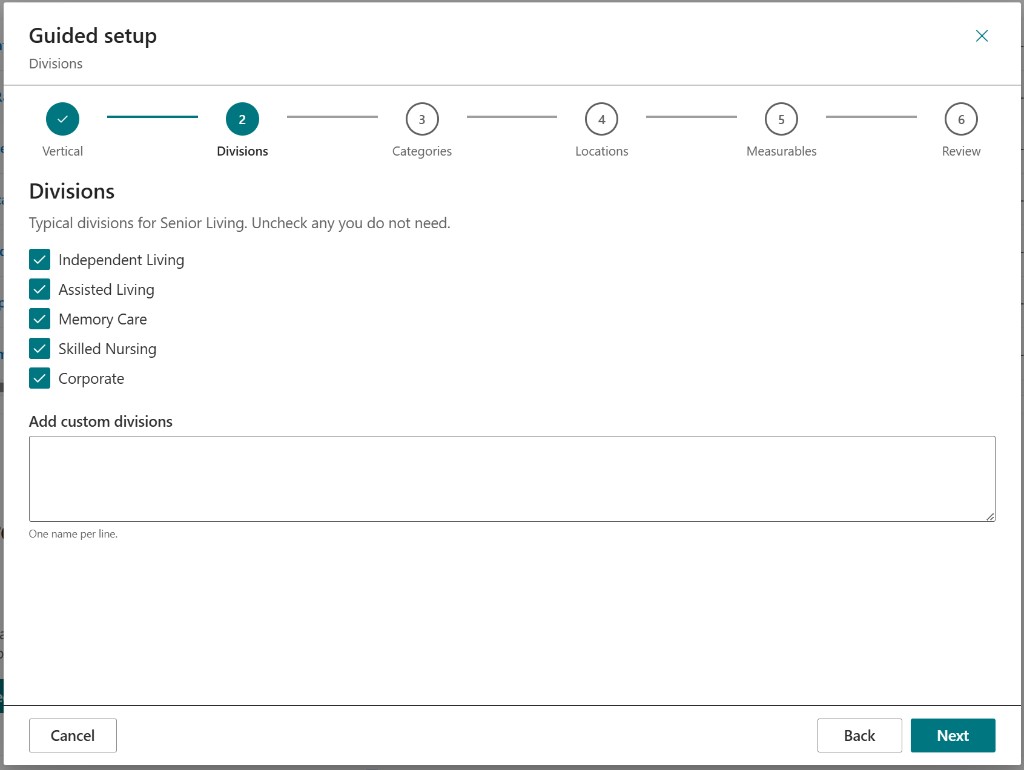
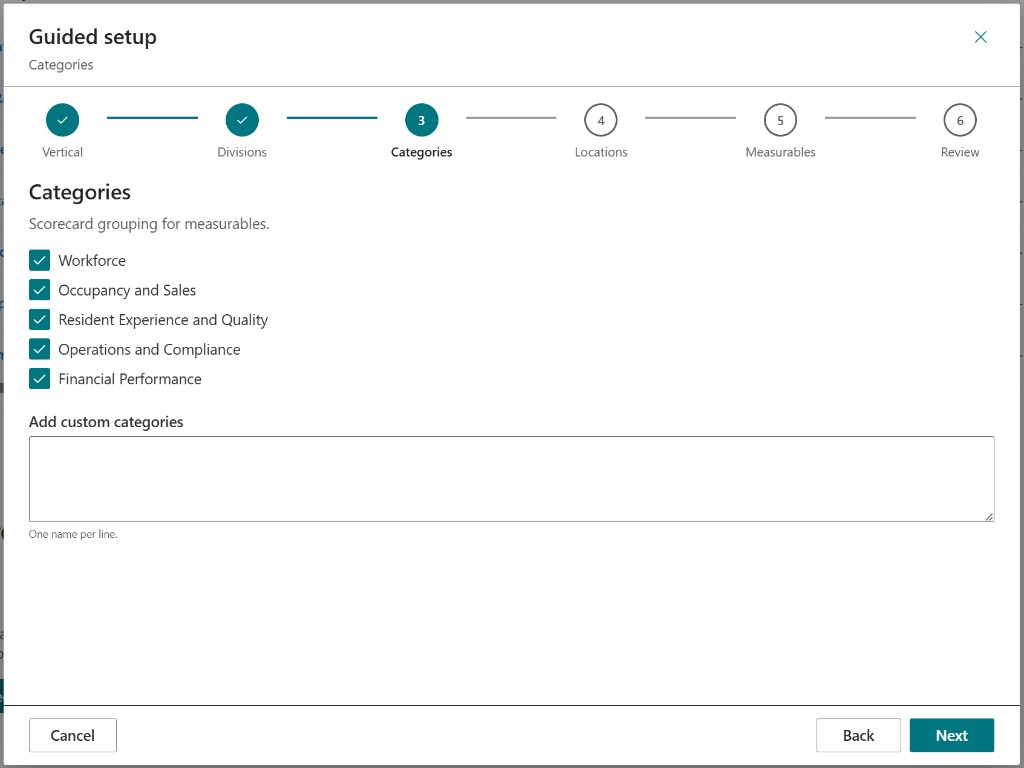
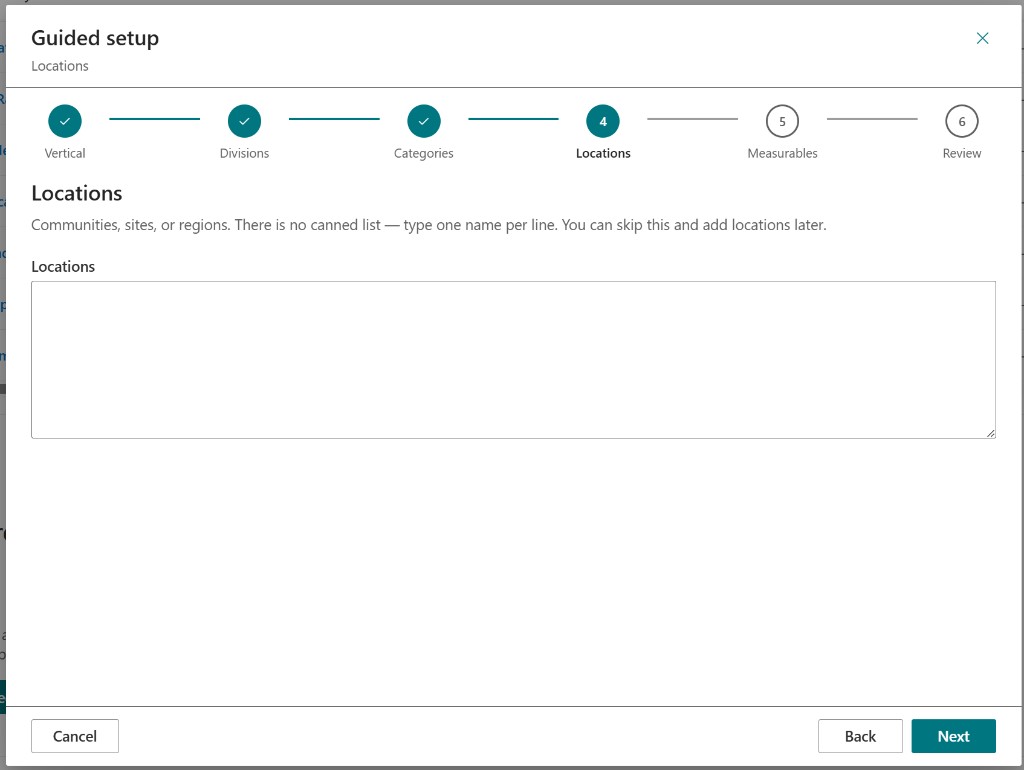
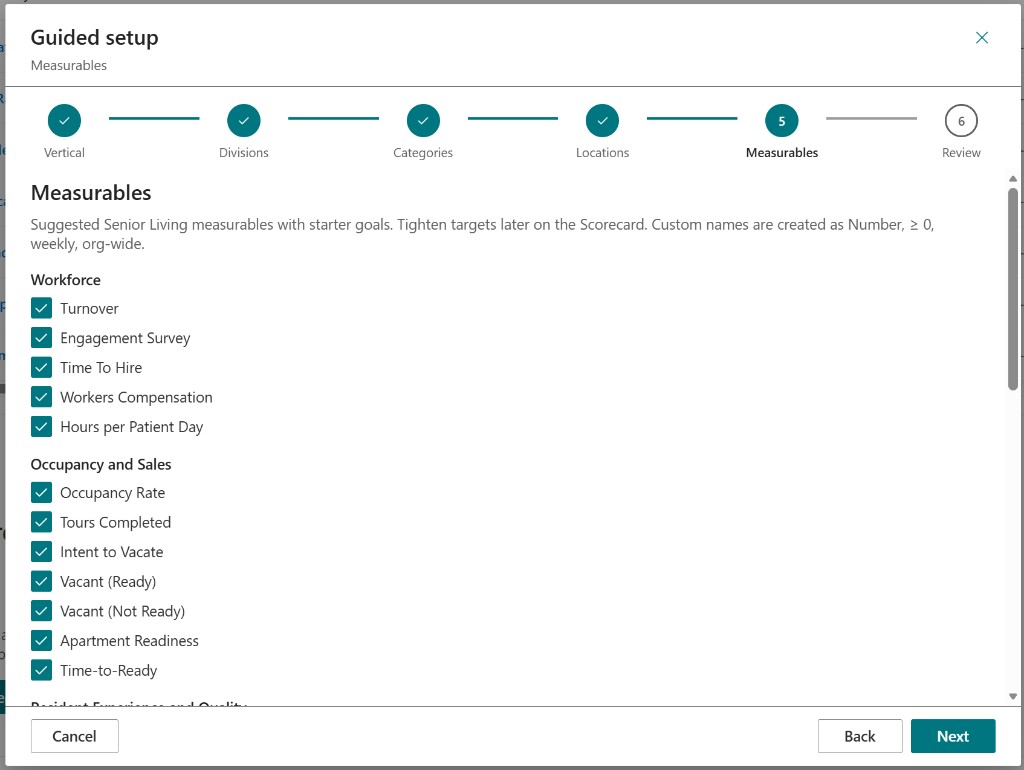
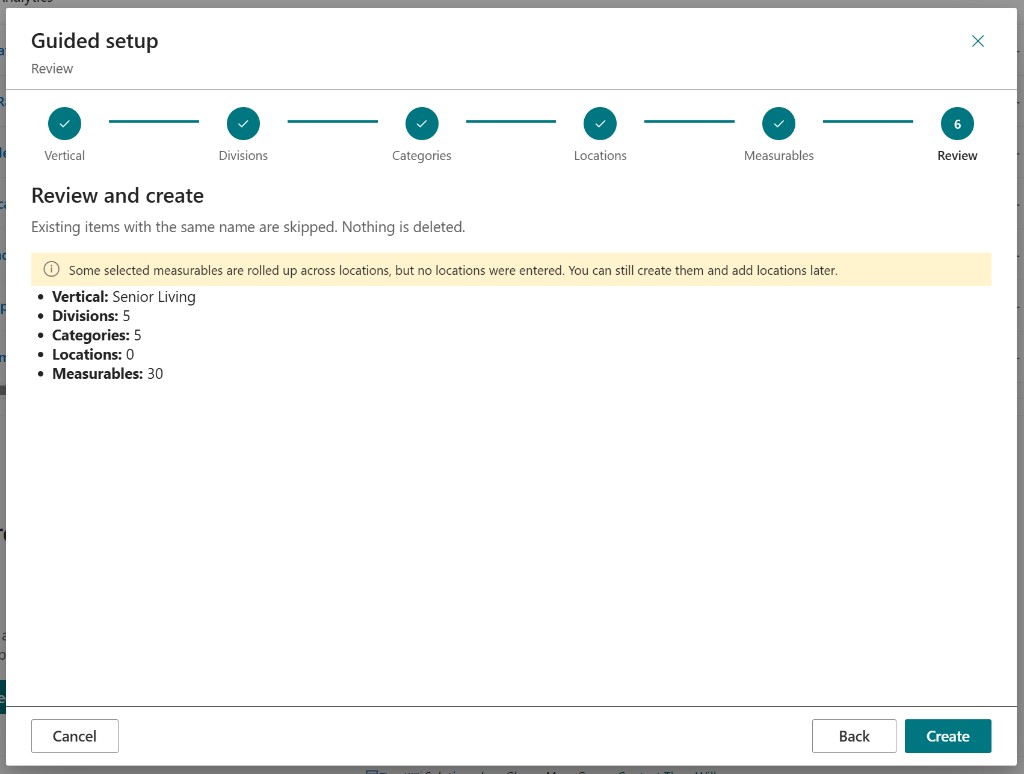
  • Shipped a themed guided-setup wizard so new installs walk Vertical → Divisions → Categories → Locations → Measurables → Review instead of hunting property panes
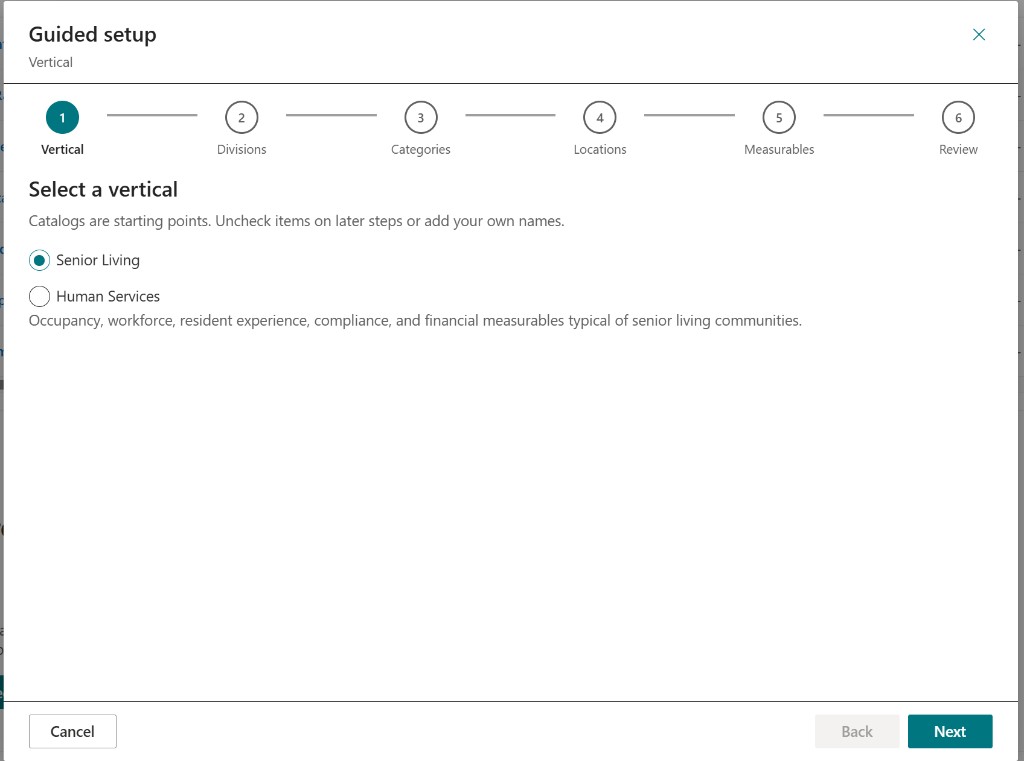
  • Vertical catalogs (Senior Living and Human Services) are starting points — uncheck later steps or add your own names
  • Introduced a Yearly cadence with a configurable year-start month and day in period services and property-pane options (ready to advertise as shipped)
  • Extended seed/schema and upgrade scripts so yearly fields land cleanly on existing SharePoint lists
  • Kept the Operational Dashboard / Attention / Summary path from last week as the display spine — this week was brand + setup + calendar math

Guided setup — select a vertical (Senior Living selected)

Guided setup — Senior Living divisions checklist

Guided setup — scorecard categories

Guided setup — locations (one name per line)

Guided setup — suggested Senior Living measurables

Guided setup — review and create summary

Weekly AI Builds - August 20, 2026

· One min read
Mike Homol
Principal Consultant @ ThreeWill

Brand week for the Scorecard, living architecture docs on a state licensing engagement, and the Customer QBR Claude Code post went live on Homol Works.

Highlights​

  • Rebranded the Human Services Scorecard toward ThreeWill Operational Scorecard, shipped a themed guided-setup wizard, and added a Yearly cadence with a configurable year-start month and day.
  • Codified living Azure and solution architecture diagrams under docs/ on a state licensing modernization engagement, while the team advanced Azure SQL IaC, Key Vault/Blob, and a .NET 8 API scaffold.
  • Published the Customer QBR post: Claude Code engine hosted as a Copilot-ready Azure Function.
  • Continued client delivery: prospect matching hardening and duplicate cleanup tooling on a Dataverse engagement (details stay generic).

Learn More​

From a Local Claude Code QBR to a Copilot-Ready Azure Function

· 7 min read
Mike Homol
Principal Consultant @ ThreeWill

A manufacturing client already had a working Customer QBR generator. It lived in Claude Code: a Python script, a handful of Excel extracts, and a self-contained HTML dashboard that sales could actually present. The ask was not “make Copilot write a nicer report.” It was “let sales ask Copilot for the same dashboard, for any customer, without running a laptop script.”

That sounds like a prompt problem. It was an architecture problem.

The local solution was already good​

Someone on the client side had used Claude Code to build a deterministic pipeline, not a chatty summarizer. The script read four monthly Excel workbooks (orders, returns, forecast, item/customer master), computed a pile of KPIs, and injected the results into an HTML template. The output was an interactive canvas: YTD sales, units, on-time delivery, fill rate, forecast variance, RMAs, pipeline, recommended actions.

That is the kind of artifact consulting teams usually wish they had. Charts with real numbers. Tooltips. A predictable layout so the next quarter looks like the last quarter, just with new data.

The Excel files were not a convenience dump. They were the contract. Sheet names looked like ERP/BI view exports. The Python encoded client-specific windows and matching keys on top of that shape. If you skip the contract and ask an LLM to “read the spreadsheet and build a dashboard,” you get a different report every time — and you cannot hand it to a customer.

Phase 1 had to mimic that pipeline, not replace it. Going straight to the source system was the right end state — just not the first proof.

What Copilot cannot fake​

The Copilot Studio agent had been pointed at Excel as knowledge and asked to author HTML. Two things break that design:

  1. Generative HTML is not the generator. The Python already owned the KPI math. An LLM rewriting dashboards from spreadsheets will drift, miss rows, and invent layout. Sales QBR is a repeatable artifact, not a one-off essay.
  2. Copilot Studio does not natively hand back a file. Chat can show a summary. It cannot reliably deliver a downloadable, self-contained HTML canvas unless something else produces the bytes and returns a link — Power Automate, an Agent Flow, or an external API.

The gap was wiring. Copilot should collect a customer name and return a URL. The engine should stay Python.

Wrap the engine, keep the contract​

I stood up a Python 3.11 Azure Function App as an HTTP wrapper around the original generator. First data mode was Excel: the same four workbooks, staged in Blob (or a local folder for the laptop proof). The Function resolved a customer name, ran the engine, uploaded the HTML, and returned a time-limited SAS download URL.

A ThreeWill-tenant POC was enough to prove the stack before recreating it in the client’s subscription. Function-level auth (code / x-functions-key) kept the first connector simple.

MethodRouteRole
GET/api/healthLiveness + which data mode is live
GET/api/qbr/customersCustomer name search
POST/api/qbrStart generation → jobId
GET/api/qbr/statusPoll until downloadUrl

Copilot Studio imported that surface as a REST API from OpenAPI. Four operations, API key in the query string, no custom connector science project.

Copilot’s 30-second wall​

Generation is not a cheap lookup. After warm-up it is often 15–60 seconds; a cold run with a fat extract can take a couple of minutes. Copilot tool calls time out around 30 seconds.

So the default POST /api/qbr does not wait for HTML. It queues a Storage Queue message, returns 202 + jobId immediately, and a queue-triggered worker does the minutes-long work. A sync=true path exists for curl and smoke tests — Copilot never uses it.

Agent instructions matter as much as the API. Copilot is an orchestrator: search if the name is fuzzy, start a job, remember jobId, and on “ready?” call status with that id only. It must not author HTML, invent KPIs, or re-ask for the customer name just to poll. Hiding customerName on the status tool is what stops that re-prompt.

SAS lifetime defaults to 24 hours. The link is a download, not a forever intranet page.

Then stop copying Excel​

Once Copilot could deliver the same canvas, the monthly Excel ritual became the next bottleneck. Those workbooks were already pictures of lakehouse views. Phase 2 flipped QBR_DATA_MODE from excel to fabric.

Same Function. Same OpenAPI. Same Copilot tools. Different loaders:

  1. Resolve the customer in the lakehouse (company name → customer key)
  2. Query orders, RMAs, and forecast by that key
  3. Take the latest forecast version
  4. Pull deals from the CRM table and inventory for the customer’s items
  5. Still load the HTML template from Blob — branding is injected at generate time

An Entra app registration in the client’s tenant, granted on the Fabric workspace/lakehouse, lets the Function use Lakehouse SQL. The Function host needs ODBC Driver 18; that is a runtime footnote, not a Copilot change.

Excel mode stayed as rollback. That mattered during the first Fabric mapping: column case, identifier quoting, and “which table actually has city/state” are the unglamorous half of reuse.

What sales actually get​

The deliverable is still the interactive HTML — not a chat summary pretending to be a QBR.
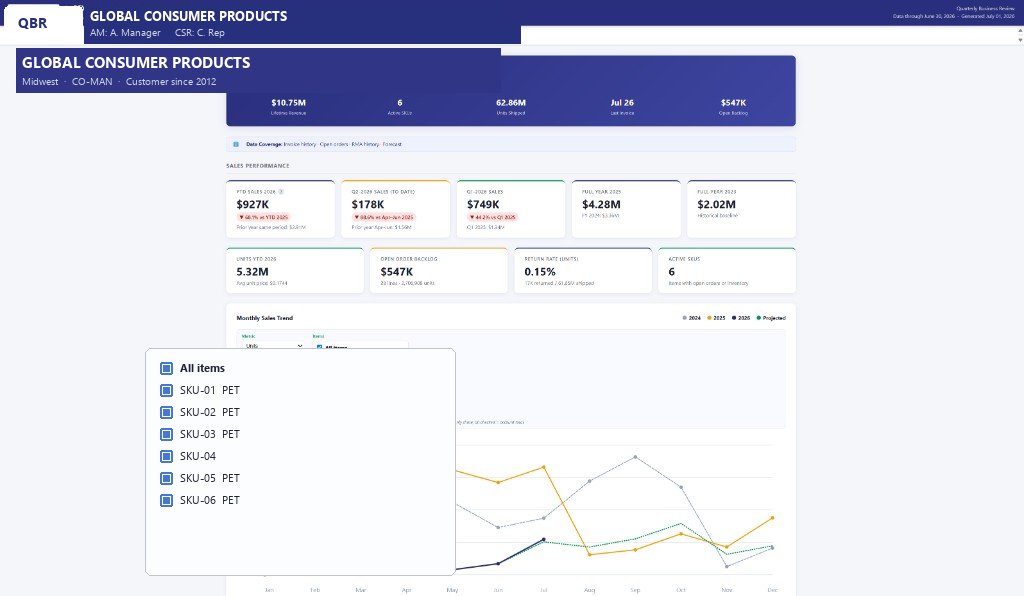
Customer QBR dashboard — names, logo, and item codes redacted

Typical sections:

  • Customer summary (YTD sales and units vs prior year)
  • Monthly sales and order-to-ship
  • On-time delivery and fill rate
  • Top items, forecast vs actual, recommended forecast actions
  • Returns / RMA
  • Open pipeline

The layout is stable because the template is stable. Copilot’s job is to get the right customer into the engine and hand back the file. The screenshot above is a real generated dashboard with account names, logos, and item codes swapped for placeholders.

What I would repeat​

  • Treat a local Claude Code win as a product to host, not a prompt to recreate. If the Python already computes the truth, wrap it.
  • Make the extract schema explicit before you skip it. Excel was the contract that let us prove Copilot delivery without boiling the ERP ocean.
  • Design for Copilot timeouts on day one. Async job + poll + SAS link is boring and it works.
  • Keep the LLM off the KPI path. Instructions that say “you do not author HTML” are load-bearing.
  • Flip data mode behind the same OpenAPI. Copilot makers should not notice Fabric vs Excel except that the numbers stop depending on last month’s export.

The pattern is reusable anywhere a desktop agent built a real report and the enterprise agent is expected to serve it: host the engine, let Copilot orchestrate, put durable data behind the same API when the first file lands.