5 posts tagged with "memento-mori"

View All Tags

Memento Mori Is Live — Your Life in 4,680 Weeks

· 2 min read
Mike Homol
Principal Consultant @ ThreeWill

SHIP LOG: Memento Mori · App Store · 2026-10-01 · Built with Cursor

Memento Mori is live on the App Store — a private life-in-weeks calendar for seeing your 90 years clearly, setting three goals each week, and staying present without handing your data to the cloud.

What it is​

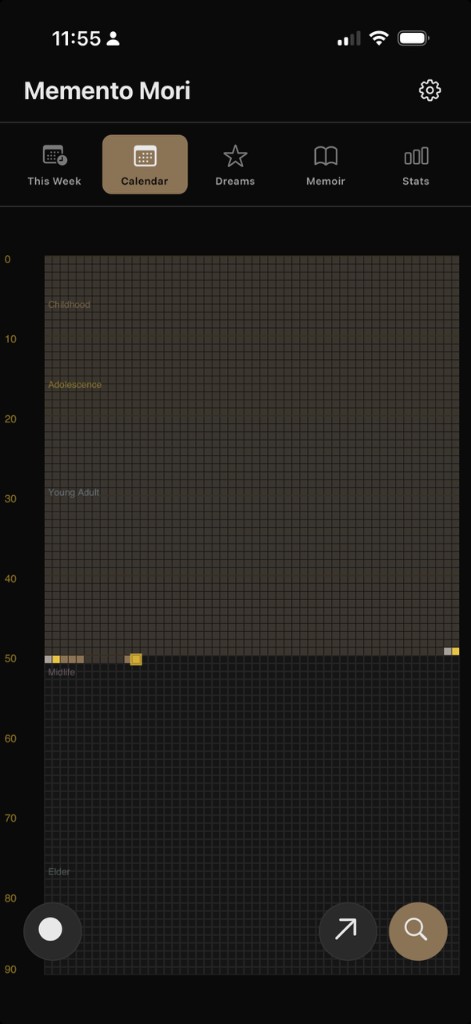
Your life as a grid of 4,680 weeks. The ones you have lived, the one you are in, and the ones still ahead — not to alarm you, to help you choose how to spend this week.

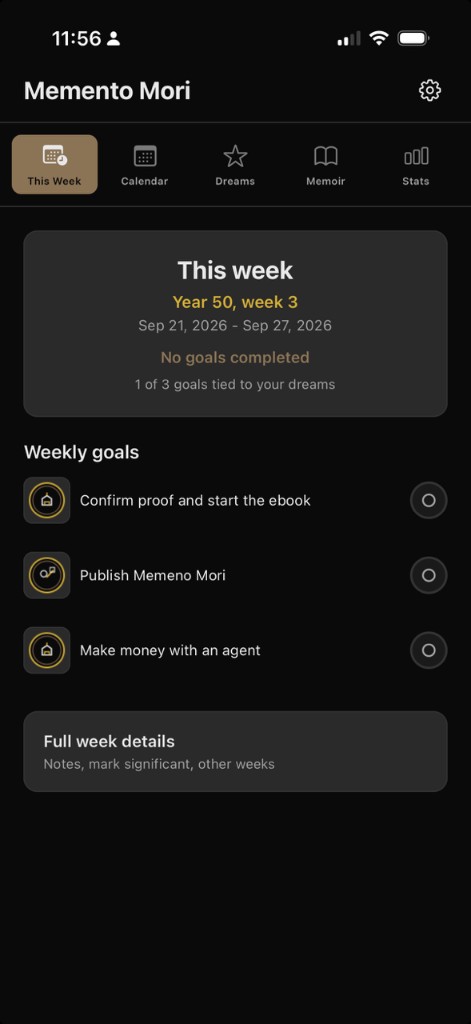
  • This Week — three goals: work, friends & family, personal
  • Life calendar — mark meaningful weeks, add notes and reflections
  • Dreams — a life list you can break into steps
  • Memoir — weekly reflections that accumulate as you go
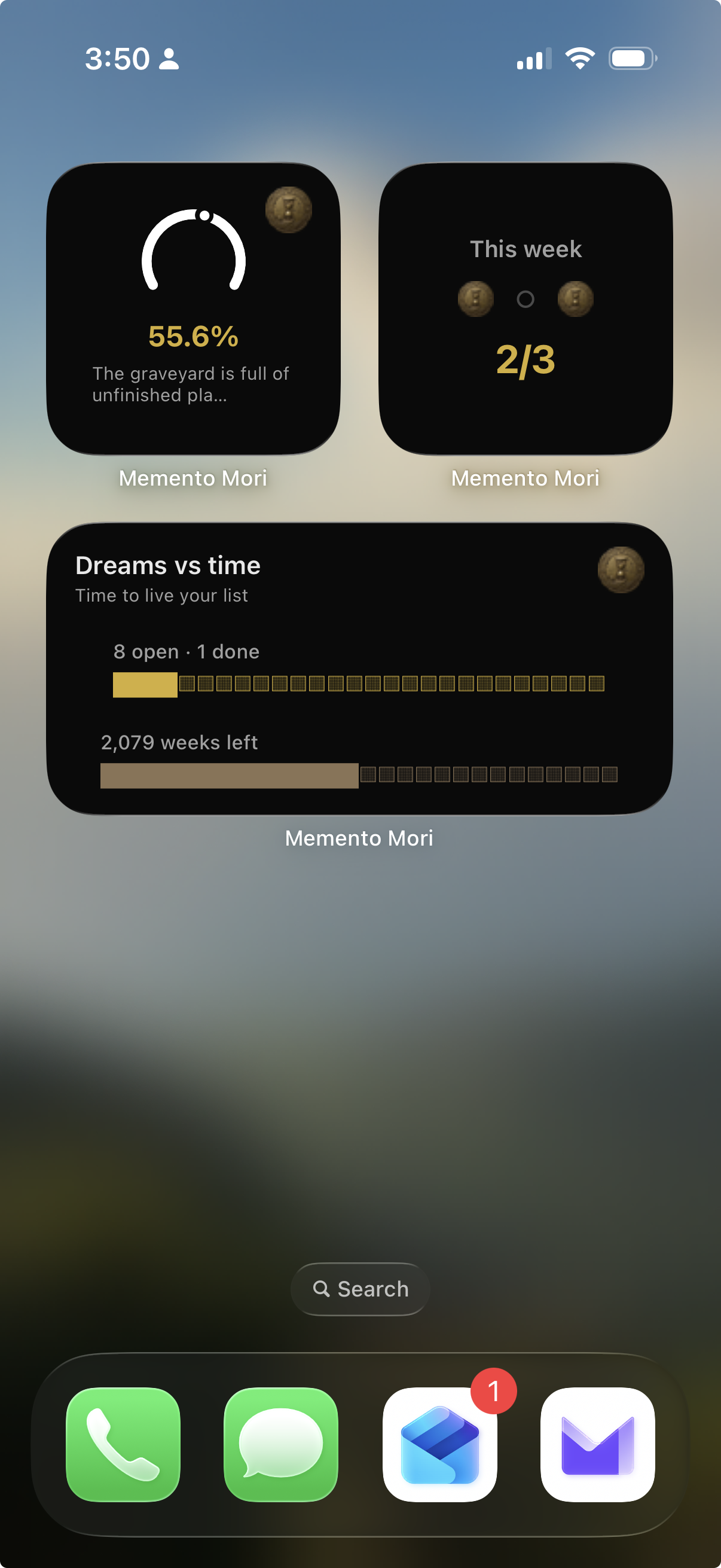
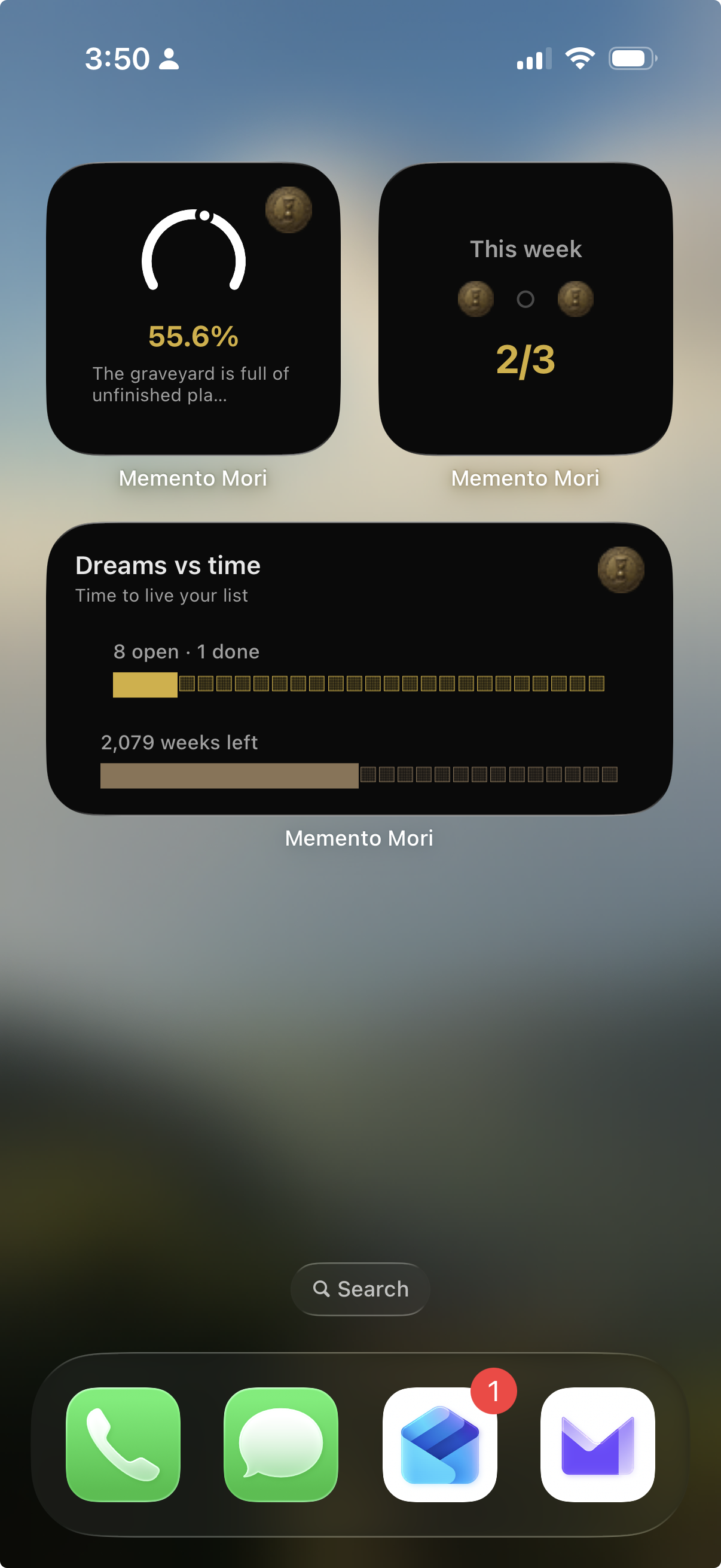
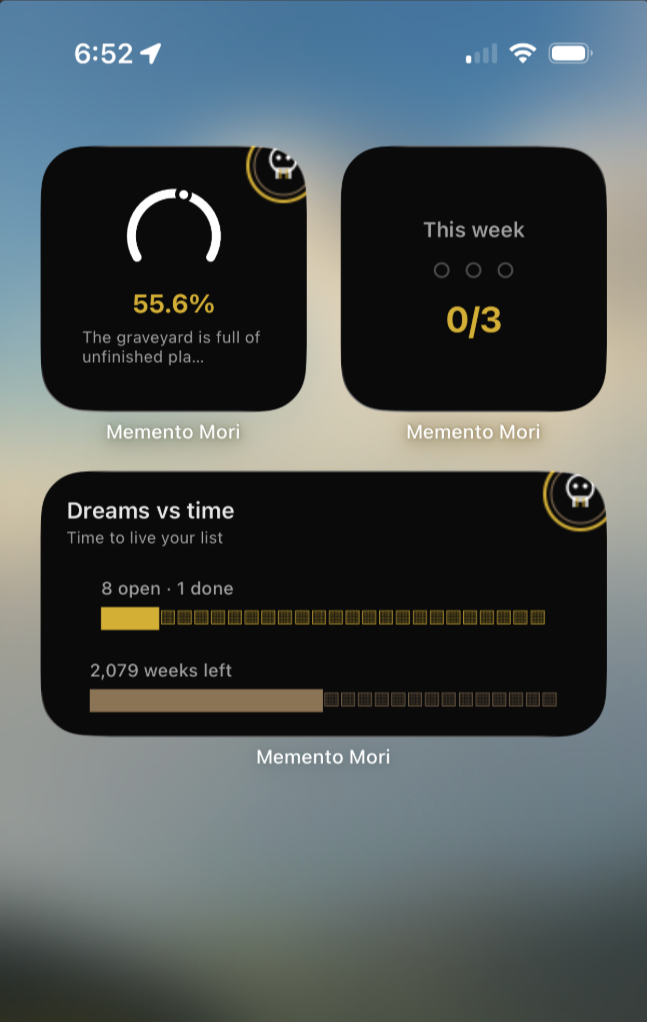
  • Home Screen widgets — life progress, goals, and dreams-vs-time without opening the app
  • Private by design — data stays on your device; export a backup anytime

Version 1.0 is free — no ads, no IAP.

Why it shipped now​

App Store prep started earlier this summer: Skia calendar, brand-coin widgets, hub pages on Homol Works, then a long stretch of review hardening (widgets, SF Symbols chrome, post-tutorial boot). Today it clears the last gate — it’s actually downloadable.

The Memento Mori home on Homol Works has the screens, the widgets shot, privacy, and support. The App Store listing is where you install it.

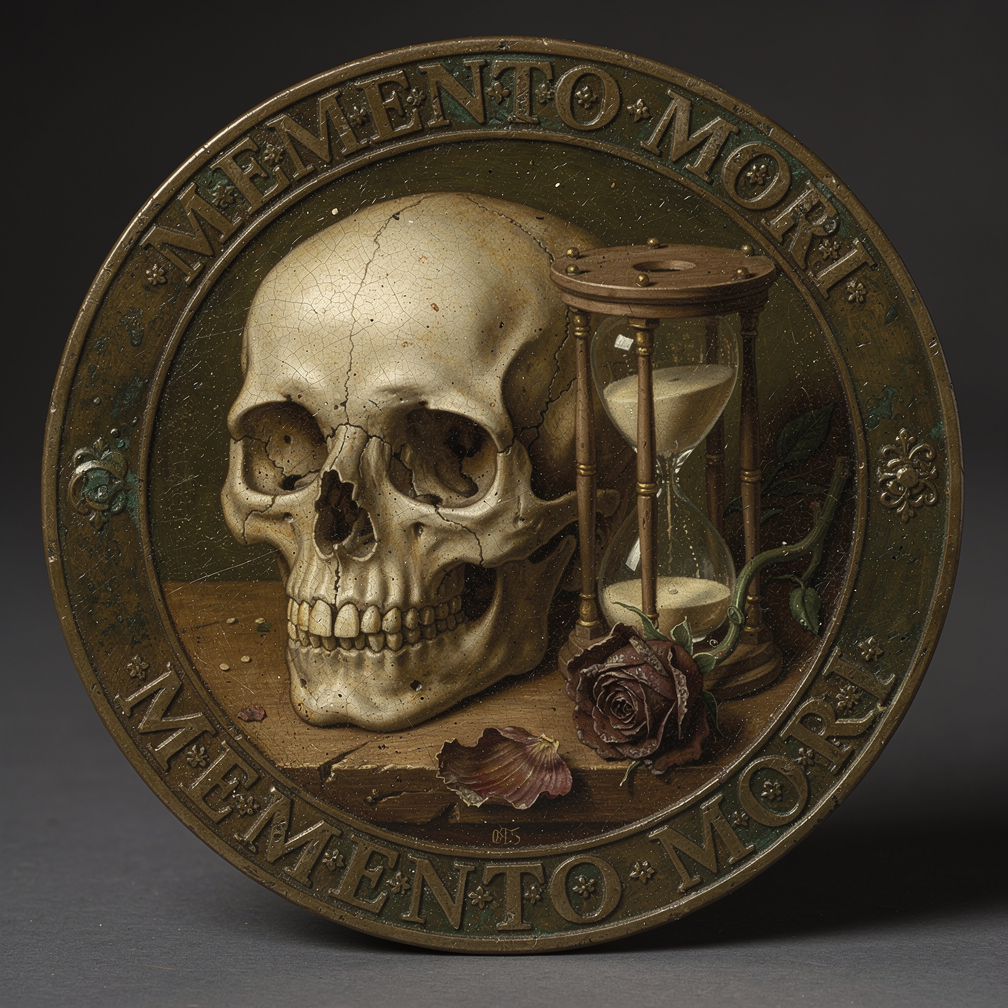
Memento Mori bronze coin — skull, hourglass, and rose

Memento Mori Home Screen widgets

Go try it​

Memento Mori on the App Store

If a widget goes stale, a reminder misfires, or something feels wrong for how you reflect — email me from the support page. v1.0 is a beginning, not a victory lap.

Memento Mori — Post-Tutorial Boot and SF Symbols Chrome

· One min read
Mike Homol
Principal Consultant @ ThreeWill

App Store prep earlier this summer got Memento Mori submission-ready. This week’s pass was smaller and more tactile: harden what happens right after the tutorial, and put native iOS chrome back where custom icons had drifted. Hoping this build clears review so we can finally say it’s live.

What happened​

  • Hardened post-tutorial boot so first-run handoff into the main app is less fragile
  • Restored iOS chrome via SF Symbols for a more native tab/nav feel — tabs use calendar.badge.clock, calendar, star, book, and chart.bar; settings/FABs use gearshape, magnifyingglass, arrow.up.right, and friends
  • Kept the change scoped — no feature sprawl, just reliability and platform fit after the tutorial path

This Week — SF Symbol tab chrome after the tutorial handoff

Life calendar — SF Symbol chrome on the Calendar tab

Memento Mori App Store Prep — Skia Calendar, Brand Coin Widgets, and the Homol Works Hub

· 2 min read
Mike Homol
Principal Consultant @ ThreeWill

After last week's widget readability pass, the focus shifted to submission readiness: a Skia life calendar, a consistent brand coin across widgets and loading states, deep-linked home widgets, and the marketing/privacy/support URLs App Store Connect expects.

What happened​

  • Rebuilt the life calendar on Skia — better scroll and zoom for a 4,680-week grid, with the tradeoff of a heavier Skia dependency and canvas-style rendering to maintain instead of a pure View-based layout
  • Enriched home-screen widgets (Dreams vs Time, Life Ring, Week Gauge) and replaced skull cutouts with a shared brand coin asset — extract script, CoinSpinner in-app, and widget snapshot wiring
  • Dropped the clipped goals widget; home widgets now deep-link into the right in-app tabs and use the coin as the weekly goal completion marker
  • Hardened Smart Record AI with clearer error messages, reflection editor improvements, and fallback merge tests
  • Locked the iOS build to iPhone-only and added an App Store screenshot / preview prep workflow
  • Finalized the App Store screenshot set on Homol Works and an App Preview video for Connect
  • Published a Memento Mori app hub on Homol Works with marketing copy and those same screenshots

Memento Mori Home Screen widgets with brand-coin goal markers

Polish Pass — Making Expo Home Screen Widgets Actually Readable

· One min read
Mike Homol
Principal Consultant @ ThreeWill

After the SDK 55 revival, the next problem was not “do widgets render?” — it was “can you read them at a glance?” Trimming the set and using a consistent brand mark beat shipping every layout variant.

What happened​

  • Wired shared skull PNGs through the widget snapshot builder for completed goals
  • Clarified week/dreams layouts and trimmed the overall widget set
  • Fixed TestFlight margin gates for fewer widgets
  • Confirmed on device / TestFlight (not simulator-only) — readable at a glance
  • App Store v1 docs will cover all layouts in the polished set (not deferring variants out of the write-up)

Memento Mori home-screen widgets — polished readable set

Reviving iOS Widgets on Expo SDK 55 (and Why They Went Black)

· One min read
Mike Homol
Principal Consultant @ ThreeWill

Home-screen widgets for Memento Mori came back to life on Expo SDK 55 — but not before a stretch of black squares that looked like a React layout bug and were actually an extension packaging problem.

What happened​

  • Rebuilt widgets against Expo SDK 55 with expo-widgets patches and EAS multi-target signing
  • Black widgets traced to JS bundle copy into ExpoWidgetsTarget.appex, postinstall idempotency, and extension runtime symbols
  • Hardened TestFlight / IPA CI gates so widget regressions fail earlier
  • Current home-screen set is readable again — life % ring, weekly check-ins, and Dreams vs time — after the black-widget era
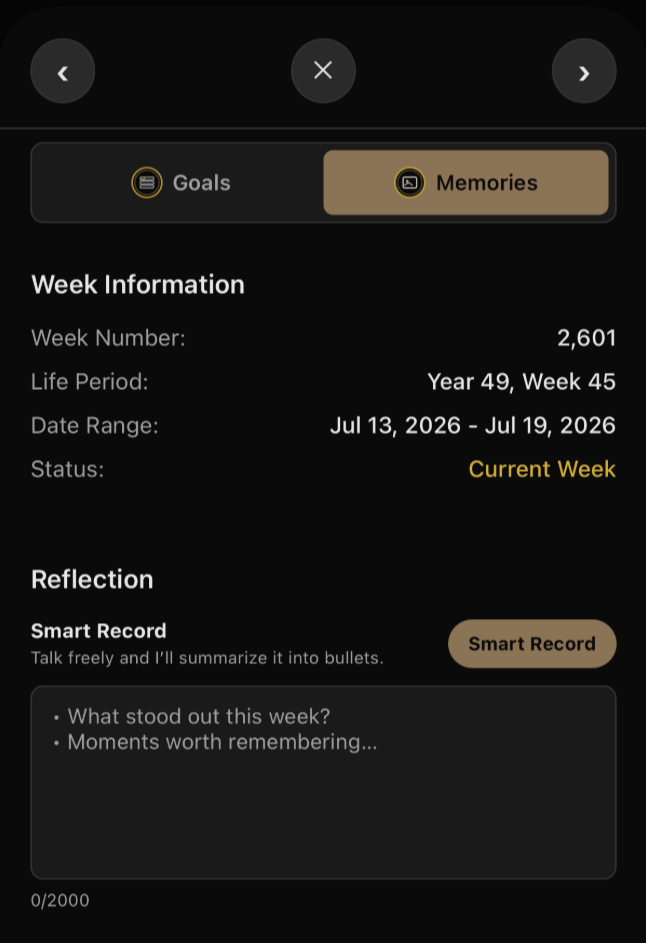
  • Smart Record is active again (not gated off for release): speak stream-of-consciousness reflections and get a bulleted summary; in final testing ahead of app go-live

Memento Mori home-screen widgets after the Expo SDK 55 fix

Smart Record — talk freely, get a bulleted reflection summary