3 posts tagged with "education"

View All Tags

Homol High — Where We Are Now (Phat Cats, Day Packs, and a Print Hub)

· 7 min read
Mike Homol
Principal Consultant @ ThreeWill

Two weeks ago Homol High was a Phase 1 repo and a nervous pilot day. Today it is a running home-study school for Grace: a curriculum spine, a four-sheet Day Pack, a black-and-gold Phat Cats brand, and a family print hub that deploys when we push. Same consulting muscle — version control, conventions, co-teacher ops — pointed at sophomore year.

The remote stays private between me and my wife Kasey. Professor Cursor is still the curriculum coach. Parents run short kickoff, check-in, and wrap — not all-day sit-beside tutoring.

If you want the origin story, start with Homol High Phase 1. This post is the “what matured after the first real weeks” follow-up we promised after that pilot.

The arc in one diagram

What Phase 1 got right (and what broke on day one)

Phase 1 shipped the bones that still matter:

  • Courses for 2026–27: Geometry, World History, AP ELA, Chemistry, plus a light PE/Arts elective log
  • Georgia home-study guardrails next to the ops playbook (Declaration of Intent, 180 days × ~4.5 hours, required cores)
  • A Professor Cursor teaching rule: literal language, checklistable outcomes, Must-do vs Stretch, Stuck Protocol, phone-away defaults
  • Co-teacher rhythm: ≤15 min kickoff, independent blocks, ≤10 min midday check-in, ≤10 min wrap
  • Attendance and learning-log hooks so the year is auditable, not vibes-based

The pilot day told on us immediately. Single-sheet “lesson pages” were too dense. Parents needed answer keys that Grace should never see. Reading directions fought with problem space on the same page. Volume and sequencing needed a real weekly generation checklist — not hope.

So we iterated the product the way you iterate a delivery repo: convention first, then tooling, then brand.

Day Packs: v1 → v2 → v3

Day Pack v2 — split the audience

From 2026-09-01 we stopped stuffing everything into one sheet. Each school day became three markdown sources and three printables:

SheetAudienceJob
AgendaGraceOutcomes, block map, short videos, Stuck Protocol
WorksheetGraceMust-do / Stretch problems with real work space
Cheat sheetParents onlyTalking points + full answer key

That alone changed the morning. Grace gets a map and a workbook. We get a co-teacher brief we can keep off her stack.

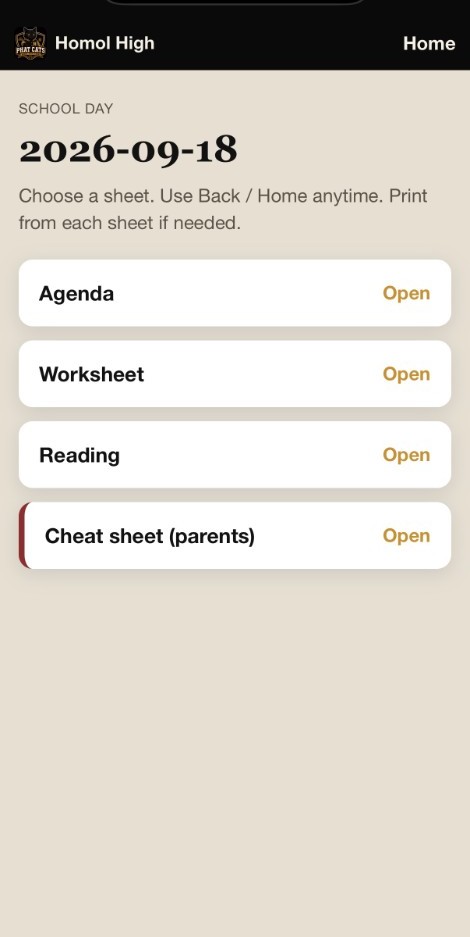
Day hub — Agenda, Worksheet, Reading, and parent-only Cheat sheet

Day Pack v3 — add reading, adopt a spine

From 2026-09-08 (first AIOHS-aligned day after Labor Day) each day is four files:

lessons/YYYY-MM-DD/
agenda.md
worksheet.md
reading.md ← new
cheat-sheet.md

Reading is Grace’s outbound sheet: numbered steps, links to curriculum pages and texts, novel start/stop lines. We do not paste large third-party curriculum into the repo — we link out. That keeps copyright clean and keeps the Day Pack honest about what “open the book” means.

Easy Peasy All-in-One High School (AIOHS) became the primary spine for Geometry, Chemistry, and World History. Older materials (Lassiter / Apologia) are gap-fill only. ELA stays Homol-authored; the semester novel thread starts with Alice’s Adventures in Wonderland & Through the Looking-Glass, then 1984, then Rebecca. Friday is the writing turn-in day.

The week of 2026-09-01–09-04 counted as credited intro overlap while we cut over. From 9/8 onward, the Day Pack is the contract.

Writing Day Packs in git only helps if the family can print them without ceremony.

We added:

  • print/Export-LessonPrint.ps1 — markdown → browser HTML for letter-size print / Save as PDF
  • Cursor rules so any lesson create/edit/rename/delete runs print sync in the same change
  • An Azure Static Web Apps family hub that auto-deploys when print/ lands on main
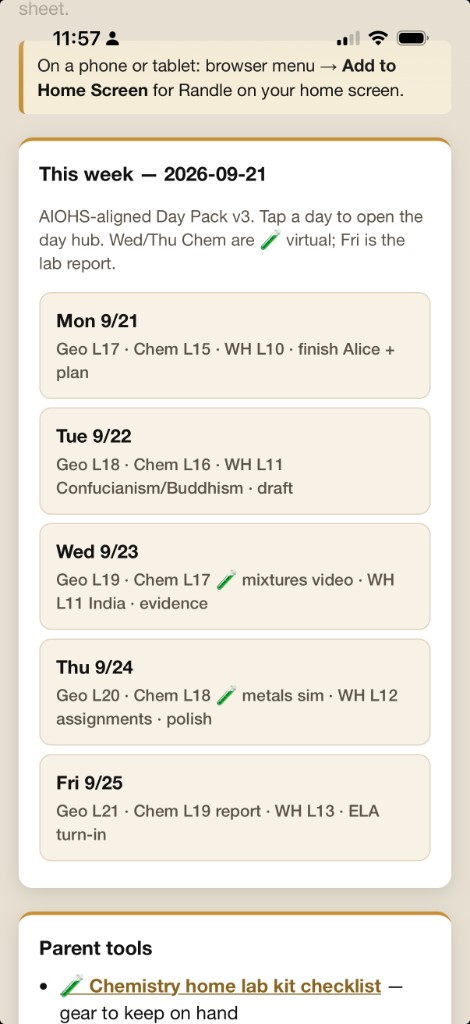
  • Per-day mobile hubs (print/days/YYYY-MM-DD.html) so a tablet can open “today” without hunting files
  • A school-day poster for the wall rhythm

The hub is family-facing, not a public Homol Works product page — same privacy rule as the private GitHub remote. No live family URL here; Azure Static Web Apps hosts it, and print/ on main is what deploys.

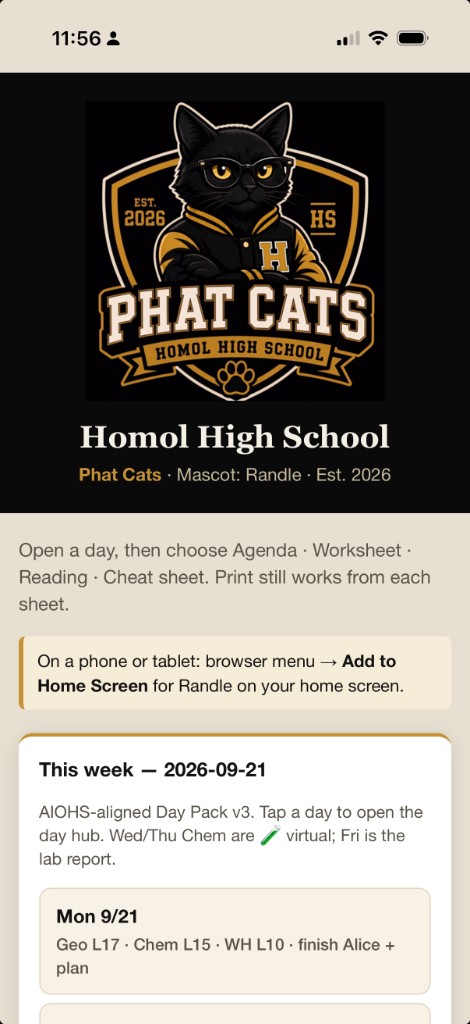
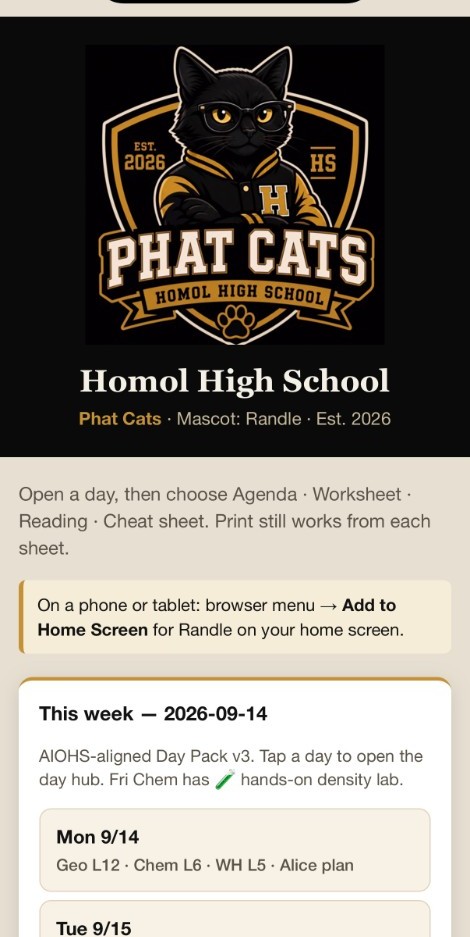
Phat Cats school hub — Randle crest, week of 9/14 day list

Short videos (often via Khan Academy search) show up on the agenda as tap-able links with a ≤5 minute bias. Assigned video = the only phone/laptop exception for that step.

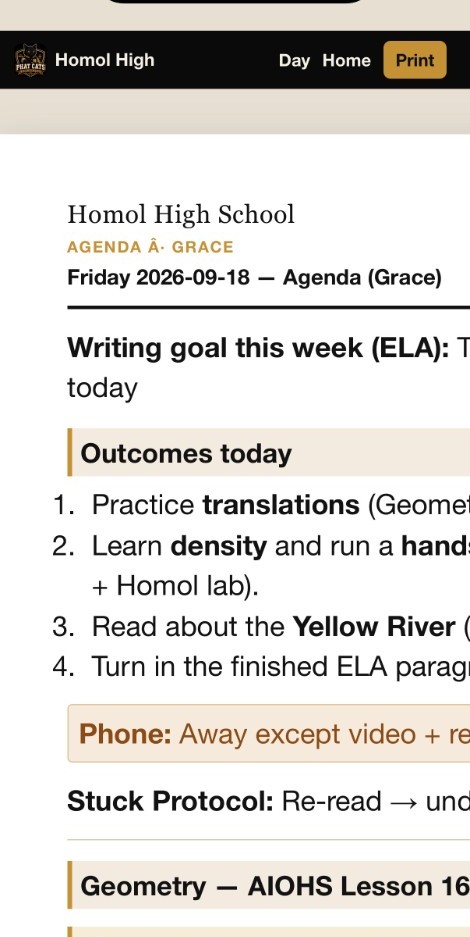
Grace’s Friday agenda — outcomes, Stuck Protocol, AIOHS Geometry + Khan video

Brand: Homol High Phat Cats

School needs identity almost as much as worksheets. On 2026-09-02 we locked brand:

  • Team: Homol High School Phat Cats
  • Mascot: Randle — black cat, glasses, letterman jacket
  • Colors: black and athletic gold

The crest is the hub logo, favicon, and Add-to-Home-Screen icon. Print chrome moved off the older teal palette onto black/gold so every morning sheet feels like the same school.

What a school day looks like now

Order stays; times float:

  1. Kickoff ≤15 minutes — outcomes aloud, phone away, Stuck Protocol, one clear Block A action
  2. Core Block A (independent worksheet)
  3. Break / movement
  4. Core Block B
  5. Midday check-in ≤10 minutes — parents use the cheat sheet
  6. Core Block C or lab / lighter block
  7. Wrap ≤10 minutes — mark must-dos, log minutes, note tomorrow

Most days center Geometry + AP ELA. World History and Chemistry share the remaining weight. Chemistry lab days flag Hands-on (kitchen materials, parent present) or Virtual (simulator / video lab) right on the agenda. We also stood up a home lab kit portal so materials stop being a surprise.

Volume targets stay aggressive on purpose — Geometry must-dos in the teens–twenties, other cores sized for ~40–60 focused minutes — with Stretch as the pressure valve when energy or time runs out.

Learning-style ops (without the trait list)

We keep a learner profile and learning log in-repo. The public rule is the same as Phase 1: we track the supports that fit Grace’s unique learning style; we do not publish the trait inventory. The Day Pack conventions (literal directions, worked examples, Stuck Protocol, read-aloud → paraphrase, Must-do vs Stretch) are the visible expression of that work.

Where the calendar is as of mid-September

  • Pilot and Day Pack v2 week in the books
  • AIOHS-aligned days running from Tue 2026-09-08
  • Week of 9/14 day packs shipped, fall outline updated, chem lab kit portal live
  • Attendance log aimed at Georgia’s 180-day / ~4.5-hour pattern — logged honestly at wrap

Homol High is no longer a weekend experiment. It is a private delivery system for one sophomore year: curriculum decisions in markdown, paper in the morning, feedback at wrap, next pack on main.

Homol High Phase 1 — git-backed home study with Professor Cursor

· 2 min read
Mike Homol
Principal Consultant @ ThreeWill

Consulting delivery patterns work surprisingly well for home school. This week I stood up Homol High School as a single git repo for Grace’s sophomore year: courses, daily lesson sheets, attendance, Georgia compliance notes, and a Cursor rule that acts as curriculum coach while my wife and I run short kickoff, check-in, and wrap. The remote stays private — shared between us for collaboration, not a public Homol Works link.

What happened

  • Initialized Homol High Phase 1 with Geometry, World History, AP ELA, Chemistry, and a light PE/Arts elective log for the 2026–27 year
  • Wrote Week 1 daily lesson sheets (lessons/YYYY-MM-DD.md) with outcomes, Must-do vs Stretch, worked examples, Done looks like, Stuck Protocol, and phone-away defaults
  • Added co-teacher ops: daily rhythm, attendance log, week template, learner profile, and learning log — parents nearby, not all-day sit-beside tutors
  • Codified a Professor Cursor teaching rule so lesson text stays literal, checklistable, and independent-work friendly
  • Captured Georgia home-study guardrails (Declaration of Intent, 180 × ~4.5 hours, required cores) under docs/ next to the ops playbook
  • Started tracking the kinds of supports that fit Grace’s unique learning style — without publishing the trait list itself
  • Today was our first pilot school day; we got a ton of feedback and already worked through much of it. A follow-up post next week will show how the lessons and agenda have matured by the end of Week 1

Coding with Nate

· 7 min read
Mike Homol
Principal Consultant @ ThreeWill

This is cross-posted here.

Adventures in getting your kids interested in coding

This is a series of posts I hope to do cataloging some of my progress with spreading the gospel of code to my kids. Recently I made some progress with my son, Nate, and hope to share what we build together in this series. 😊

Part One: Idea and Schema

For many years, I've struggling in fits and spurts to get my kids to embrace coding. I took to it like a duck to water and was coding on this when I was 9 years old:
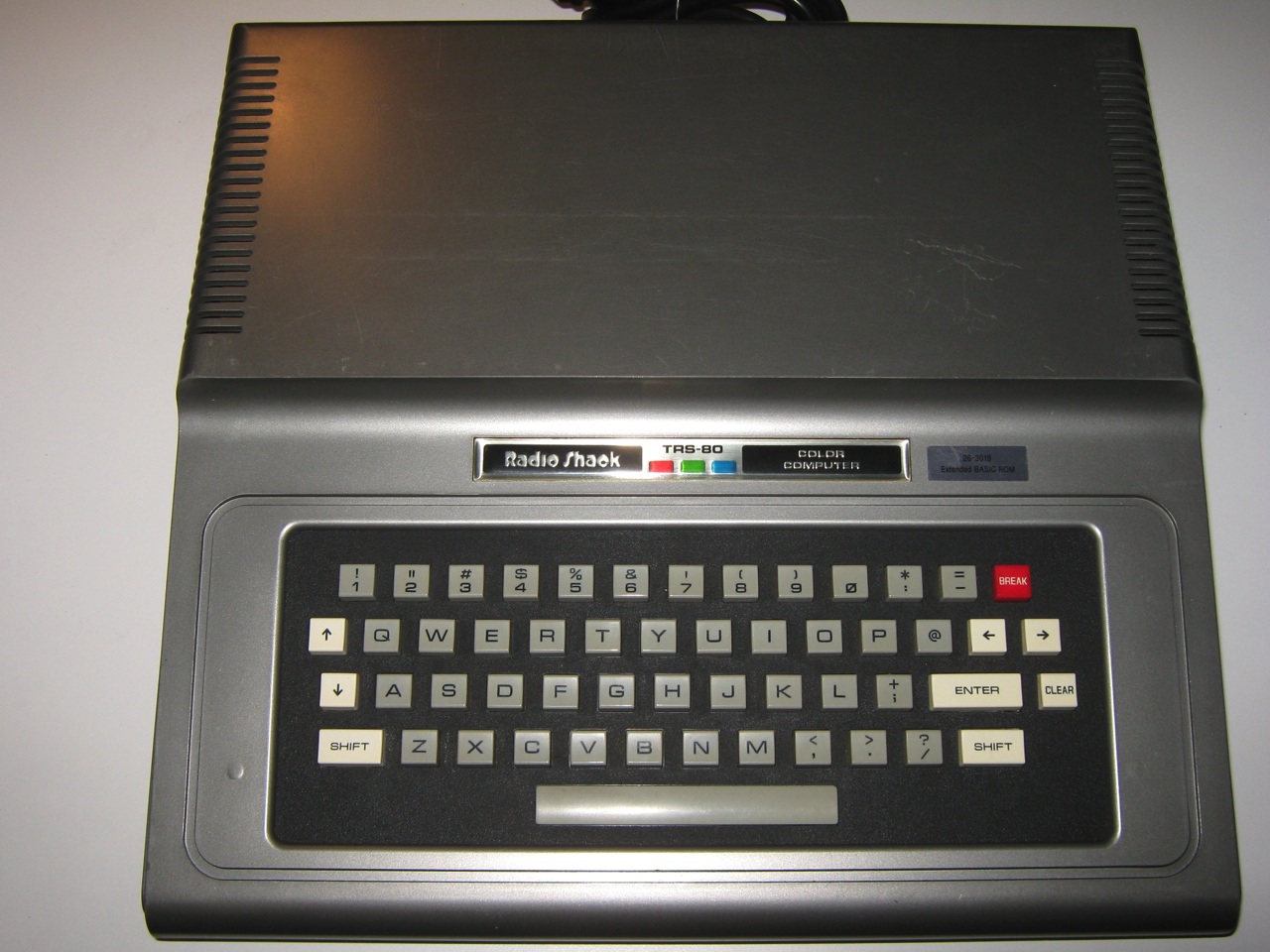
Behold the Radioshack TRS-80

I've had a few glimmers of hope, like when they were in robotics and were helping to write the programs, but eventually that died out. Then I had a brief period where my sons were doing lessons on freecodecamp.org. That site is fantastic, by the way. But so far, nothing lasting. But I press on.

Something we both like

About a month ago, I challenged my sons to come up with an app idea. My thinking was that they might be more inclined to learn something if it would result in something that originated from their imagination. My son Nate started doing the Swift Playground lessons and things were looking up. But as usual, things sputtered out.

2 weekends ago, we were playing our favorite collector card game, Marvel Legendary. I have amassed pretty much the entire collection and we spent a fair bit of the weekend battling supervillains. There have been some apps made by the community already - namely one called Assemble. It randomizing matchups, which is really nice for a game that keeps growing with 3 or 4 expansions a year. But this app was starting to slow down in its updating. Additionally my son voiced his frustration with not being able to search up cards by the text on them or by their features. Suddenly, I saw the light go on and he turned to me and said, "Maybe this is the app we can build."

Eureka! We had a problem that we wanted to solve and it was surrounding a topic that we both enjoyed. It was the perfect storm.

Early Plan

So the basics for the idea are now there. We want a mobile app that will allow for in-depth searching of thousands of cards and that will also randomize setups of games.

Technically, here's the early plan: a database of cards built in Azure Data Storage, accessible from Azure Functions, via a mobile app built in React Native. We will open source the whole thing, so feel free to contribute or give feedback, especially if you happen to also play the game.

Homework

My homework for Nate so far is to start going through the JavaScript lessons on freecodecamp.org. Send me thoughts if you have some better ideas. My thinking is for him to try and pick up some basics of JavaScript while we're building out the backend. While he's learning, he's volunteered to help with data entry. We'll see how long that lasts.

Looking at Cards
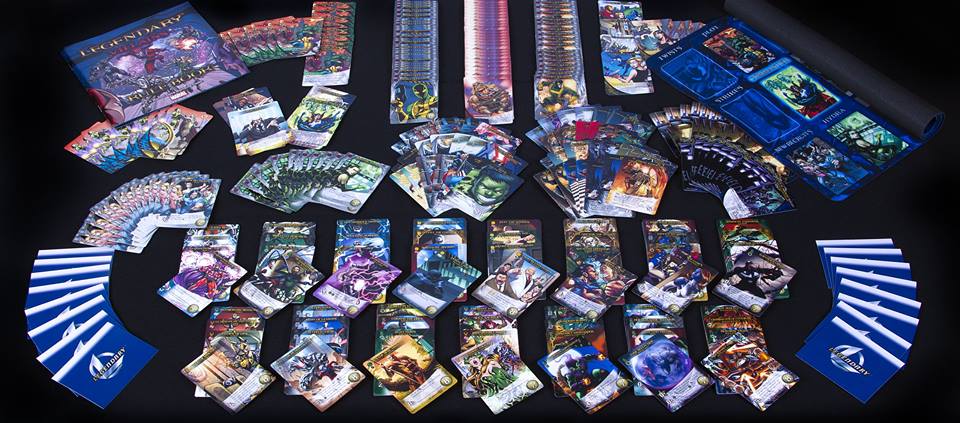
Sooo many cards!

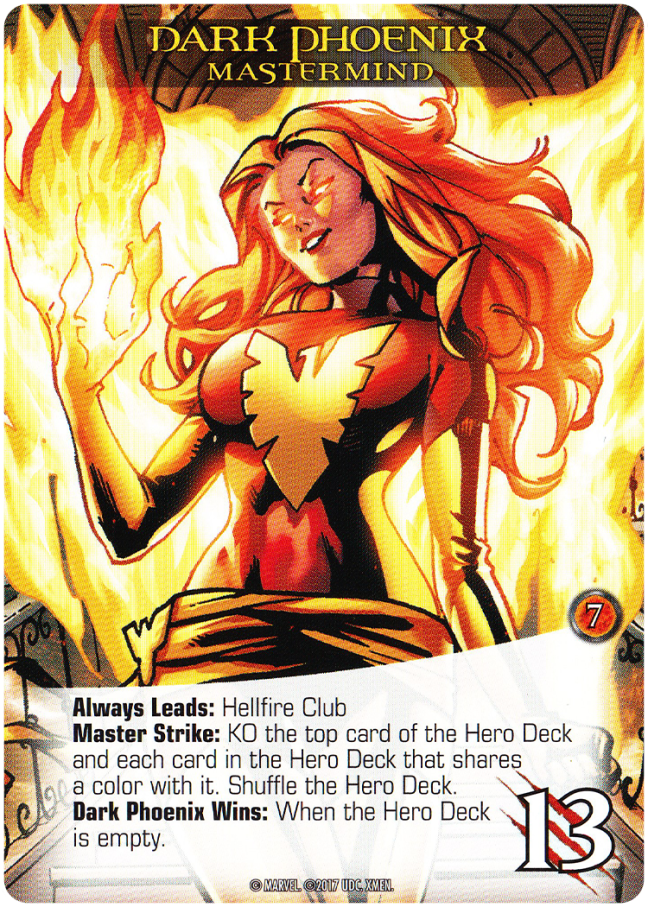
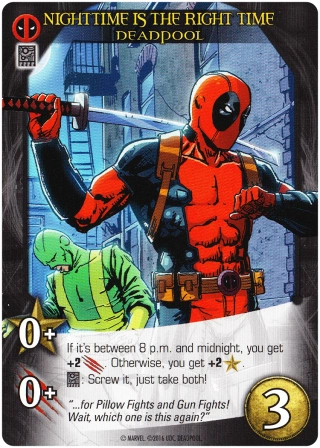
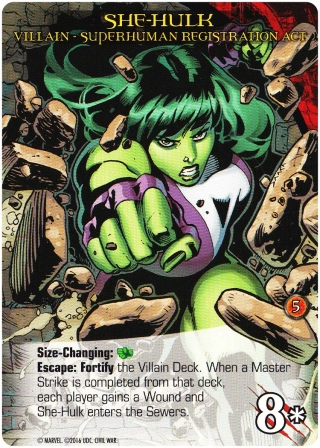
Our first order of business was getting the data figured out. My first real teachable moment. We examined various cards and started making notes, first in bullet lists of the various types of cards and the properties we were seeing on them. Here are some examples.

MastermindHeroVillian
Dark Phoenix MastermindDeadpoolShe-Hulk Villain

As you can see, there are many various qualities and this is just a small sample. In fact, just at the top-most level, there are 10 types of cards: Wound, Token, Officer, Sidekick, Bystander, Scheme, Enemy Leader, Enemy Support, Enemy Group, Playable. Pretty quickly in, we switched to a JSON document and started going over samples of each card type, appending properties to the same single JSON as we discovered new things on a card. This actually sunk in with him. Seeing the JSON get updated live as we were reviewing information on a card was like seeing the objects and properties come to life real-time on the screen. Here's what we ended up with:

{
"Name": "",
"StartingDeck": "Hero | Villain | Officer | Sidekick | Wound | Bystander | Mastermind | Token",
"Type": "Wound | Token | Officer | Sidekick | Bystander | Scheme | Enemy Leader | Enemy Support | Enemy Group | Playable",
"Classification": "Wound | Grievous Wound | Bindings | Villain | Officer | Madame Hydra | Hero | Special Sidekick | Bystander | Recruitable Bystander | Scheme | Plot | Mastermind | Commander | Henchmen | Backup Adversaries | Villain | Adversary",
"Team": "Shield | Avengers | X-Men | Champions | Fantastic Four | Heroes of Asgard | Sinister 6 | Hydra | Foes of Asgard | Crime Syndicate | Brotherhood | Cabal | Guardians of the Galaxy | Illuminati | Marvel Knights | Mercs for Money | New Warriors | Spider Friends | Venomverse | Warbound | X-Force",
"Class": "Instinct | Ranged | Strength | Covert | Tech | Basic",
"Color": "Yellow | Blue | Green | Red | Silver | Grey",
"Ability": "",
"Keywords": [
"Healing",
"Betrayal",
"Ambush",
"Human Shield",
"Phasing",
"Fight",
"Escape",
"Overrun",
"Fight or Fail",
"X Uru-Enchanted Weapon"
],
"CombinationSymbols": [],
"CombinationEffect": "",
"Expansion": "Core | Villains | Civil War | X-Men | S.H.I.E.L.D.",
"AlwaysLeads": "",
"CommandMasterStrike": "",
"VictoryPoints": 6,
"Attack": 4,
"Recruit": 2,
"RecruitCost": 3,
"IsRecruitable": true,
"Setup": "",
"Twist": "",
"NumTwists": {
"1": 9,
"2": 9,
"3": 9,
"4": 6,
"5": 6
},
"NumHeros": {
"1": 4,
"2": 5,
"3": 5,
"4": 5,
"5": 6
},
"NumVillains": {
"1": 1,
"2": 2,
"3": 3,
"4": 3,
"5": 4
},
"SchemeWins": "",
"SpecialRules": ""
}

Seeing as we will have to start simple, we will begin by manually creating JSON docs for cards, until we get a UI going. So to try and make it easier on us, especially Nate, I set out to make a schema for this sample doc. This route would give us intellisense and document validation in a good editor, like VS Code.

JSON Schema

This was my first foray into JSON Schema. I started at the source and read through this walkthrough: Getting Started Step-by-step. That gave me most of the tools I needed to understand what was going on. Essentially, you're setting up type definitions and other rules as you identify them.

That said, it was still a pretty big doc for me to try and render out the schema manually, so I started with a schema generator - found here - and applied changes from there, namely titles and descriptions, as well as identifying things we missed as I was validating fields. The generator helps a lot with following along, as you can compare your node to the schema generated. The only big thing I had to learn how to add was the enum property. This is a great option for string properties. It allows you to provide an array of options for editors to leverage. Here's an example:

"enum": ["Yellow", "Blue", "Green", "Red", "Silver", "Grey"]

And here's what happens in VS Code when you reference the schema and attempt to add a color field to the document:
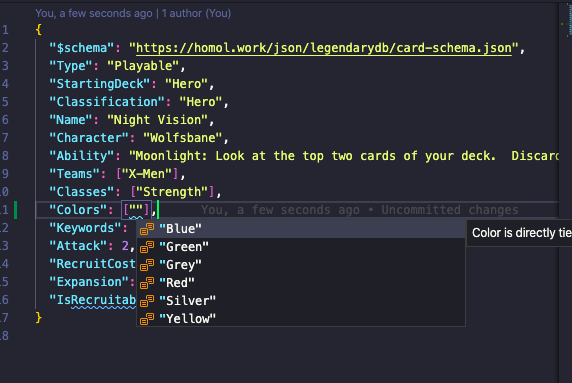
End result in VS Code

Pretty cool, huh? Well I thought so at least lol.

'Til next time

So far, the schema is all we have and we're starting to create the data for Azure Storage. I'll share more as we make progress. Hopefully he stays interested and we actually produce a working product in the App Store. We shall see.

The full schema is published here: https://homol.work/json/legendarydb/card-schema.json